Practical karaoke · Connection guide
JYX Karaoke Machine: Match Your Model to the Official Manual
This guide provides an original model-to-document worksheet. It does not test equipment or replace your model's instructions.
Start with the official directory
The JYX Product Manuals directory separates entries including 66BT, S55, 69BT, T10T and T8/T9. It provides model-labelled download links, and instructional-video links for those entries. The presence of separate entries is a reason to check the label rather than use a generic brand-name tutorial. This page does not claim that all models use different procedures or that a listed document covers every version.
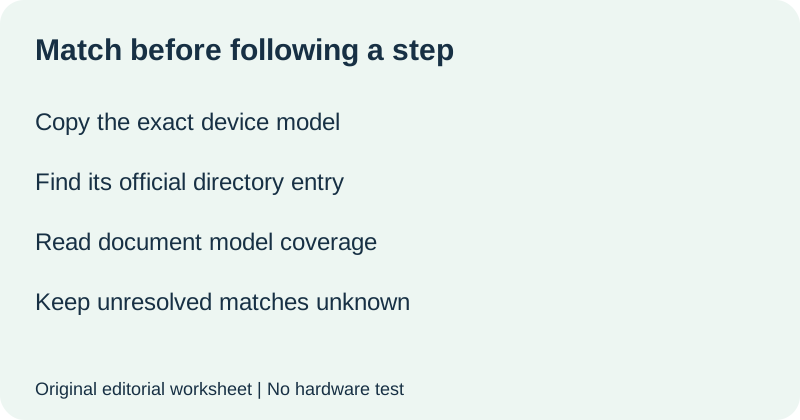
Build your model-to-document card
Write the model as it appears on the device label, including letters, digits and punctuation. Keep the product listing name in a separate field. If they differ, do not silently combine them. Save the directory entry and the linked document address so you can return to the same source. Once you open the document, check its stated model coverage and the relevant section before taking a step.
| Evidence | Your record |
|---|---|
| Device model label, copied exactly | ______ |
| Listing name, if different | ______ |
| Official directory entry | ______ |
| Document model coverage and page | ______ |
| Confirmed match, unresolved, or conflicting | ______ |
Do not use a filename alone as proof that every instruction applies to your unit. Record what the document itself says. When information is absent, write not stated. When you have not opened the document, write not checked. Those two statuses answer different questions and keep an unfinished check from looking complete.
Resolve a mismatch before borrowing a procedure
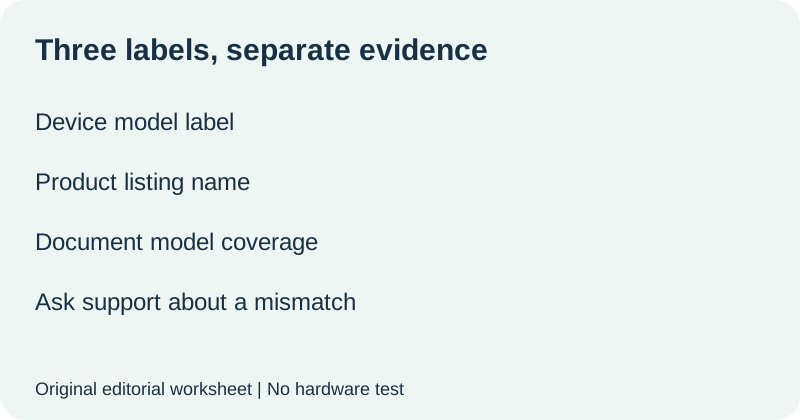
Place the conflicting labels side by side. Describe the specific difference without deciding that one must be a harmless abbreviation. A shared brand name, product photograph or control-panel resemblance does not resolve the discrepancy. Return to the official directory and contact the manufacturer if the intended document remains uncertain. Do not improvise a reset, power instruction or pairing sequence from another model.
| Mismatch record | What to write |
|---|---|
| Device says | Exact visible model: ______ |
| Document says | Coverage as printed: ______ |
| Unresolved difference | Missing suffix, different model, or other: ______ |
| Question for official support | Which document covers this exact model? ______ |
Use this original request template: My device model label reads [exact model]. The official directory entry I selected is [entry], and the document states [coverage]. These differ in [specific detail]. Which official manual should I use for this unit? Replace the brackets with verified details. Keep personal order information and serial numbers out of public posts; provide them only through an appropriate private support channel if required.
Save the result for your next setup
Keep the confirmed document address with the model card and the date you checked it. Add the section you actually used. If you later change equipment, repeat the match rather than carrying the old card forward unchanged. This worksheet is about document identity; it does not certify compatibility, package contents, safety compliance or performance.
Watch the model check
Original editorial visuals and synthetic English narration. No hardware test.
Quick answers
Is one JYX manual enough for every JYX karaoke machine?
Do not assume so. The official directory has separate model entries. Confirm the document coverage for your unit.
What if the directory label and my device label differ?
Record both exactly and ask official support which document applies. Leave the match unresolved until confirmed.
Does this replace a packing checklist?
No. This checks document identity before using instructions. For a separate packing inventory, use the portable karaoke set checklist.
Official directory checked 13 October 2026. Model card, mismatch record and inquiry template are original editorial materials. No hardware was tested; linked PDF procedures were not evaluated for this article.