Practical karaoke · Connection guide
Portable Karaoke Set: What to Check Before You Pack
This original preparation worksheet is not a hardware test. It helps you record what your chosen setup needs; it does not promise identical contents across karaoke sets.
A bundle name is not a complete packing list
The official Singtrix Party Bundle Stadium Edition page describes a speaker, custom microphone, stand and effects controller. It offers a second microphone separately and describes music playback from an external device with a headphone jack. This is one specific example of why you should check the exact package and playback requirements rather than relying on the word bundle. Check the current manual and selected purchase option for your own model.
Build your four-column inventory
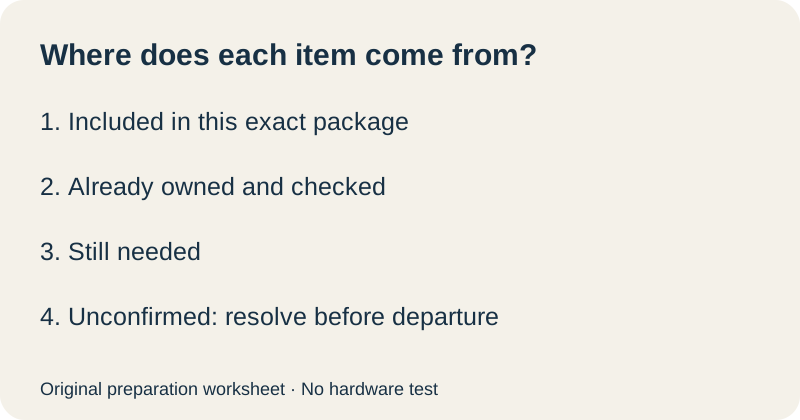
Write the complete product name at the top of a sheet. For each row below, choose one status: included in this exact package, already owned and checked, still needed, or unconfirmed. Record the evidence beside it: package list, manual section or your own physical check. An unconfirmed item stays on the preparation list until resolved.
| Item or requirement | Your status and evidence |
|---|---|
| Speaker or other required sound system | ________ |
| Microphones for the planned number of singers | ________ |
| Receiver or controller, where required | ________ |
| Manufacturer-specified power supplies and charging items | ________ |
| Music playback device and chosen music source | ________ |
| Documented connection accessories | ________ |
| Lyrics display and a place to position it | ________ |
| Any required account or network access at the destination | ________ |
This sheet is deliberately blank. We cannot know what is in your particular carton or what you own. Do not mark a cable included merely because it appears in a promotional setup photograph. If a requirement does not apply, write why it does not apply instead of silently skipping the row.
Separate equipment from the song plan
Make a second note with three lines: which device will play music, where the lyrics will appear, and what access that plan requires. Open your chosen material before packing. Check the service's own terms and requirements; this guide makes no promise that a subscription, song library or network connection is supplied with your set.
If you plan to borrow a device or use a host's display, put the owner's name and the agreed arrangement in your private checklist. Do not publish personal contact details. Keep a fallback plan you have actually checked, rather than assuming another device at the destination will connect.
Use a leave-home gate
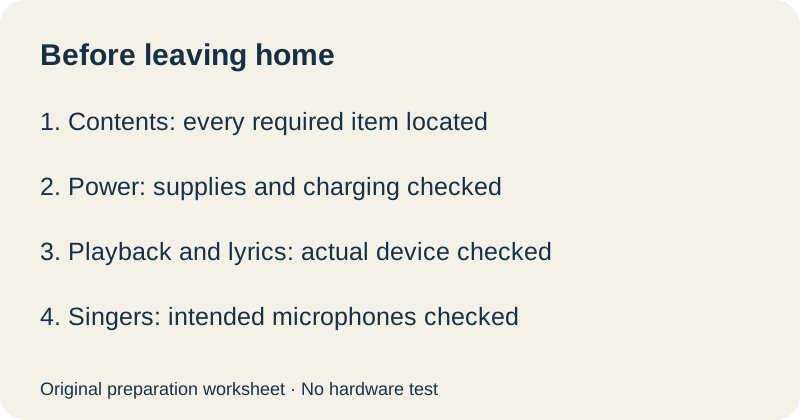
Our original departure checklist turns the inventory into a decision. First, resolve every unconfirmed required item. Next, assemble the documented setup at home with the actual devices you plan to carry. Finally, record the results below. A missing result is a task to finish, not evidence that the equipment will work later.
| Gate | Record before leaving |
|---|---|
| Contents | Every required item located and packed |
| Power | Required supplies present; charging checked per manual |
| Playback | Chosen music source opened on the actual device |
| Lyrics | Display readable in the planned arrangement |
| Singers | Intended microphones checked with this setup |
Quick answers
Does a portable karaoke set always include two microphones?
No universal contents list applies. The official Singtrix example offers a second microphone as an addition. Check your exact package before planning a duet.
Should I buy every accessory on this checklist?
No. Mark what your documented setup requires, what is included and what you already own. The worksheet is an inventory tool, not a shopping recommendation.
What if I have the equipment but cannot confirm a connection?
Keep it marked unconfirmed and check the model documentation. Our two-microphone connection worksheet helps you describe a proposed arrangement to the manufacturer.
Source checked 10 October 2026. Inventory categories, departure gate and preparation questions are original editorial materials. No equipment was tested.