Practical karaoke · Connection guide
Karaoke Machine for TV: What to Check Before You Buy
This buying guide compares two documented equipment routes. It is not a product ranking or a hardware test.
Which kind of TV karaoke system should you buy?
| Your requirement | Route to investigate | Confirm before buying |
|---|---|---|
| Keep playing songs and lyrics on the TV | A microphone system with a documented audio path to compatible amplified speakers | TV or source audio output, microphone mixer input, and speaker input |
| Have the karaoke unit supply lyrics to the TV | A player with explicitly documented TV video output | Exact output, TV input, song source, and where the mixed audio plays |
A TV-output example: check what HDMI carries
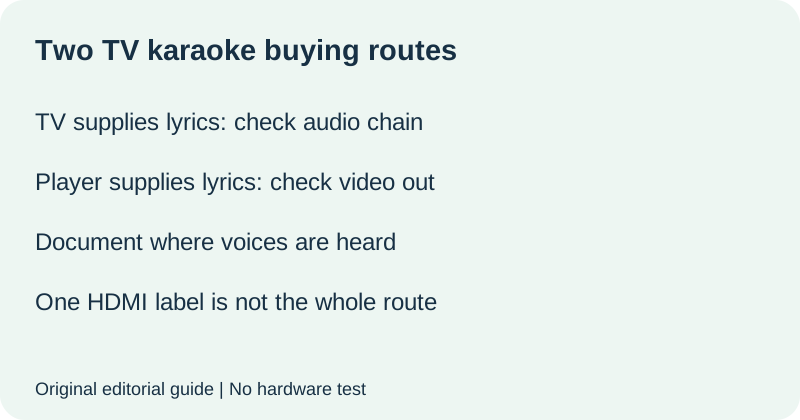
Singing Machine's iSM9010 support guide documents HDMI to a TV for video and lyrics only. It says audio and microphones do not play through the TV: sound comes from the unit speaker or external speakers connected to Line Out. The HDMI cable is not included according to that guide. This is a useful example of why a TV connection is not the same promise as TV-speaker karaoke. It applies to the documented model, not every HDMI karaoke product.
A keep-your-TV example: check the full audio chain
FIFINE's home-theater guide describes K036/K040 analog stereo input and output and distinguishes AV receivers from soundbars. Its examples depend on available output and input connections; some require conversion between digital and analog audio. It also notes that an analog two-channel source does not provide the same true surround experience. Do not buy an analog microphone system on the assumption that an HDMI-only soundbar will accept it directly.
Make one candidate card for each exact model
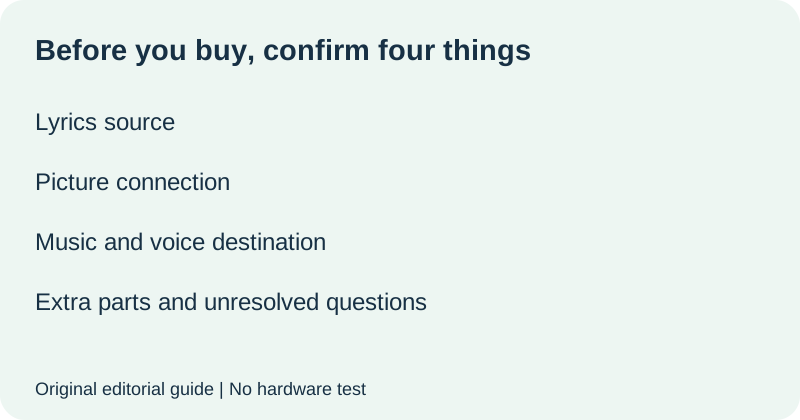
Use the card below while shopping. Fill it with statements from the exact model documentation, not a photograph of a similar unit. Keep the equipment you already own separate from items in the new box. When a listing says TV compatible, ask which documented connection completes your intended setup.
| Purchase question | Candidate evidence |
|---|---|
| Who supplies songs and lyrics? | TV app, external source, or karaoke player: ______ |
| How does the picture reach the TV? | No new route needed, or documented video output/input: ______ |
| Where do music and microphones become audible? | Exact speaker or audio system and supported route: ______ |
| What else must I buy? | Missing cable, compatible speaker, converter, or song access: ______ |
| What remains unconfirmed? | Question and manufacturer answer: ______ |
Reject a candidate for now if it cannot answer a requirement you consider essential. A device can suit someone else while failing your own TV-audio requirement. Conversely, do not reject a video-only output merely because you expected audio there if you are happy to use the unit speaker; write that preference explicitly.
Use a purchase gate rather than a feature count
Mark each essential requirement confirmed, not required, or unresolved. Require evidence for the song source, video route and sound destination separately. Then list the missing parts and any ongoing song-access cost stated by the seller. This guide supplies no current price or subscription promise. Confirm those terms on the exact offer before paying.
Use this original seller-question template: I want lyrics from [source] on [TV model], with music and microphones through [speaker model]. Does [exact karaoke product] support that complete route? Which connections and extra parts are required? Ask for a model-specific answer. An unresolved reply is a reason to postpone the choice rather than silently treat compatibility as established.
Watch the buying decision
Original editorial visuals and synthetic English narration. No hardware test.
Quick answers
Do I need a built-in screen if I use a TV?
A second screen is not the same requirement as TV output. Decide whether the unit must supply songs and lyrics or whether the TV already does that job, then check the model documentation.
Does HDMI mean microphone audio plays through the TV?
No universal promise follows from that label. The documented iSM9010 example sends video and lyrics only through HDMI.
Where should I go after choosing compatible equipment?
Use our TV connection guide for the setup decision. For a broader existing-equipment and budget choice, see karaoke set for home. This page addresses what to confirm before buying for a TV.
Sources read 19 October 2026. Candidate cards, purchase gate and seller question are original editorial materials. No equipment tested; compatibility remains model-specific.