Practical karaoke · Connection guide
Masingo Karaoke Machine: Plan the Music, Lyrics and Package
This buying guide uses the Masingo Soprano X1 as a documented example. It is not a review of every Masingo model, a current stock guarantee or a hardware test.
What the Soprano X1 document supports
The Masingo Soprano X1 Performer's Manual, hosted by Amazon, names the model on PDF page 2. Its contents list on PDF page 4 includes the machine, two wireless microphones, remote, Micro-USB charging cable, USB charger plug, AUX and AUX-RCA cables, device holder and manual. Confirm what the particular seller actually supplies, especially for a used or open-box offer.
PDF pages 7–8 describe Bluetooth, MicroSD, AUX, USB, FM and PA uses. They describe playing music from another device; an AUX-RCA TV example is not proof that every television has the required connection. A holder is not a supplied tablet. These observations apply to this document, not automatically to another Masingo model.
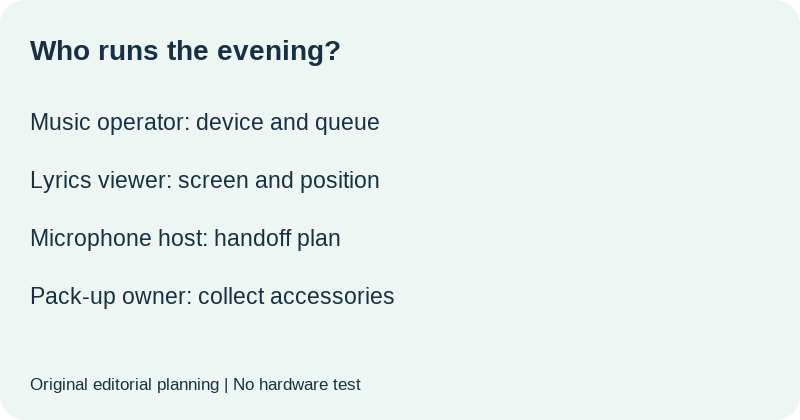
Decide whether the package fits your evening
Start with one ordinary song change. Imagine a guest finishing a song while the next singer asks for another one. Who chooses the next track? Where will that person see the queue? Who is holding the screen? This small scenario exposes missing decisions more clearly than comparing a long list of advertised functions.
Write one sentence for your event: we want [number of singers] in [room], with [person] running music on [device] and lyrics visible on [screen]. This is a plan you create, not a specification the manufacturer has promised. Leave an unknown blank rather than copying a listing's claim into it.
| Job | Decision to record | Before paying |
|---|---|---|
| Music operator | Named person, source device and app | Confirm the chosen source route for the exact offered model |
| Lyrics viewer | Screen position and who controls it | Separate the viewing device from a holder or cable |
| Microphone host | Who hands microphones between singers | Confirm microphone quantity and charging items in this offer |
| Pack-up owner | Who collects the small accessories | List each promised accessory and where it will be stored |
Choose a screen arrangement you can actually run
If one phone supplies both the song and lyrics, decide where it stays while people sing. A phone that moves between guests can also move the controls and song list. If you prefer a separate viewing screen, put that requirement into the seller question before buying. Do not treat the word karaoke as a promise of a built-in lyric display.
For a television plan, write down the television model and the labelled audio output you intend to use. Ask for the supported connection to the exact Masingo unit. Keep the question about sound separate from where lyrics appear: a television displaying a song and a machine receiving its audio are two parts of the plan. See the TV connection guide for the broader planning framework.
Separate included items from things you will provide
Make three short lists: promised in this offer, already owned, and still unconfirmed. Put the lyric device, music service, charging arrangement and any source adapter into the relevant list. This does not mean every setup needs extra purchases. The point is to notice a missing requirement before paying, rather than buying accessories just because another household used them.
For a second-hand unit, ask the seller to photograph the actual included items together. Compare that photo with the written promise, not just a manufacturer stock image. Record missing items explicitly and decide whether you can obtain a suitable replacement before proceeding. This is purchase preparation, not a claim that we inspected that seller's package.
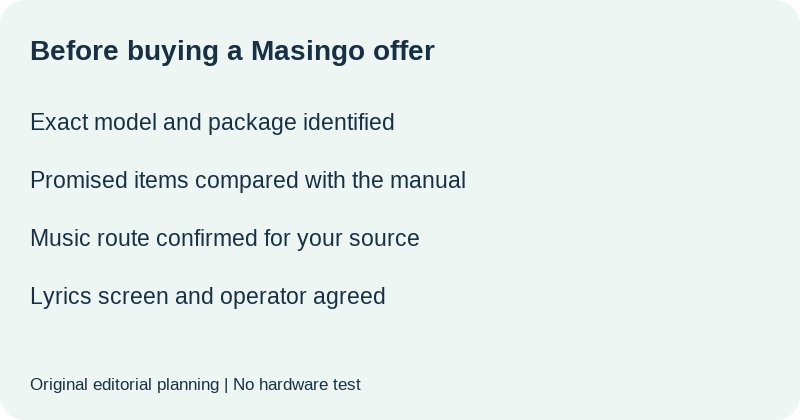
A seller message for this Masingo purchase
Copy and complete this original request: I am considering your [full Masingo model] offer for a home singing evening. My music source is [device and app], and singers will read lyrics on [device]. Please confirm the exact model and the items actually supplied, including microphones, remote, charging items, holder and audio cables. Which documented connection supports my source? Is any viewing device included, or only its holder? Please identify anything I must supply separately and link the applicable manufacturer document.
Keep the reply beside the offer URL and date. If the answer changes the model, recheck the plan instead of assuming that a similar name preserves the same contents or controls. A written reply is useful purchase evidence; it is not independent proof that sound quality, battery duration or compatibility has been measured.
The decision before checkout
Proceed when the exact model, seller's included-item promise, music route and lyric arrangement make sense together. Pause when the seller cannot identify the model, calls a holder a screen, or leaves a necessary connection unexplained. Declining an unclear offer is a buying decision, not a conclusion that all Masingo equipment is unsuitable.
When the package arrives, compare it with the promise before your event and allow time to learn the applicable instructions. Keep the first session simple: one operator, one agreed music route and a clear place for the lyrics. Add complexity only after you understand the arrangement you bought.
Watch the session-planning guide
Original editorial diagrams with synthetic English narration. No hardware demonstration or product test.
Quick answers
Does this checklist cover every Masingo karaoke machine?
No. The factual example is the Soprano X1 document. Use the applicable information for another model instead of transferring its contents list.
Does the documented holder mean a tablet is included?
No. The cited contents list names a holder, not a tablet. Ask the seller to confirm the actual offer.
Can I postpone deciding where the lyrics will appear?
You can, but deciding before purchase lets you check whether the offered arrangement serves your intended evening.
For the whole-room equipment decision, see karaoke set for home. This page focuses on a Masingo offer and who will operate it.
Source checked 15 November 2026: manufacturer-authored Soprano X1 PDF hosted by Amazon; cover, contents and playback sections inspected. Seller stock and current package contents were not independently verified. Session roles, decision table, seller request and checkout gate are original editorial work. No hardware testing or best-product ranking.