Practical karaoke · Connection guide
Portable Karaoke Microphone: What to Record When Sound Cuts Out
This original observation worksheet helps you describe an intermittent problem. It is not a hardware test, a diagnosis, or universal pairing instructions.
Separate a symptom from a possible cause
JBL's official Microphone Pairing and Behavior page says that an On-The-Go wireless microphone outside signal range can have dropouts or lose sound. It also describes reconnection and pairing behavior for that model. This is a model-specific example, not evidence that every interruption on every portable karaoke microphone is a range problem. Use the documentation for your exact microphone and speaker.
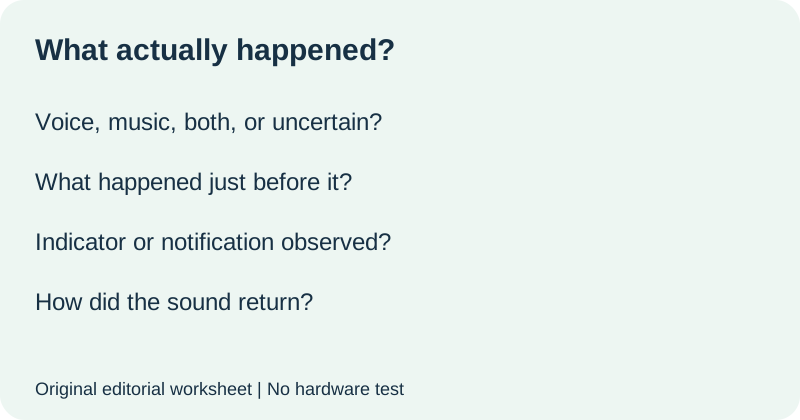
Build a short incident record
Start with the full speaker and microphone model names. Include the receiver model if one is part of the documented connection. Then give each interruption its own row. Write the time or the point in your check when it happened. Use plain descriptions: voice stopped, music continued, a notification played, or sound resumed without a setting change. Do not fill in observations you missed.
| Field | Your actual observation |
|---|---|
| Exact devices and connection labels | ______ |
| What stopped? | Voice, music, both, or uncertain: ______ |
| What was happening just before it? | Movement or a device action you observed: ______ |
| Visible indicator or audible notification | What changed, or not observed: ______ |
| How did it recover? | On its own, after a recorded step, or not yet: ______ |
Separate not observed from no change. If you were not watching an indicator, you cannot conclude it stayed the same. If you cannot tell whether backing music also stopped, write uncertain. That distinction makes the record more useful than a confident guess.
Keep a change log beside the incident log
Before attempting a remedy, locate the correct manual or official support instructions. Write the instruction source and the step you intend to follow. Keep your equipment and selected inputs documented. After the step, repeat the relevant observation and record the result. This worksheet does not tell you to use an undocumented reset or pairing procedure.
| One recorded step | Result |
|---|---|
| Manual page or official link: ______ | Time of check: ______ |
| Step followed: ______ | Symptom repeated, changed, or not observed again: ______ |
| Other changes made: ______ | Limits of the comparison: ______ |
If you made several changes together, say so. Do not attribute an improvement to one of them. If the interruption does not recur during a short check, record that limited observation rather than declaring the problem permanently solved.
Turn the record into a useful support question
Use this original template: My speaker is [exact model], my microphone is [exact model], and the connection is [documented route]. During [observed action], [specific symptom] occurred. Music [continued, stopped, or uncertain]. I followed [official step] and observed [result]. What model-specific check should I perform next?
Replace every bracket with an actual observation or leave it explicitly unknown. Keep serial numbers and private account details out of public discussions. If a manufacturer needs those details, use its official private support channel. The record helps describe the problem; it does not establish a warranty outcome or a technical cause.
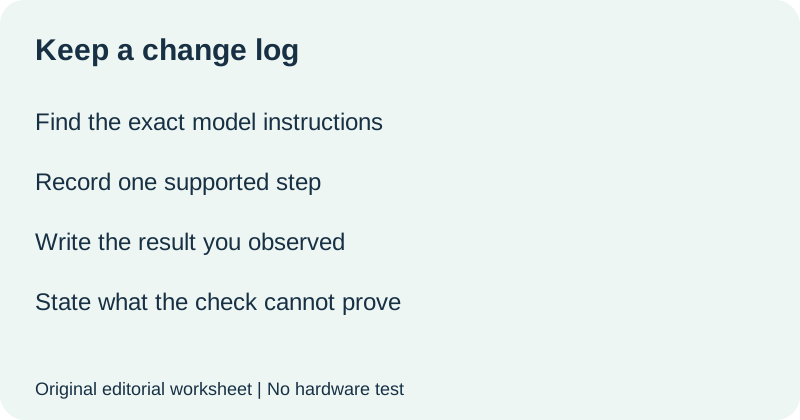
Watch the checklist
Original editorial visuals and synthetic English narration. No hardware test.
Quick answers
Does a dropout prove the microphone is out of range?
No. The JBL example describes one model's behavior under that condition. Your observation alone does not identify the cause.
What if I cannot reproduce the interruption?
Keep the original incident record and describe the duration and conditions of your later check. Do not label a short uneventful check a permanent fix.
Is this the same as music playing while a microphone stays silent?
No. This page records interruptions and recovery over time. For a microphone that never becomes audible, start with the separate music and voice checklist.
Official source checked 12 October 2026. Incident fields, change log and support-question template are original editorial materials. No equipment was tested.