Practical karaoke · Connection guide
Portable Karaoke Speaker: Check Two-Mic Connections Before Buying
This is an original purchasing worksheet, not a hardware test or a universal compatibility chart.
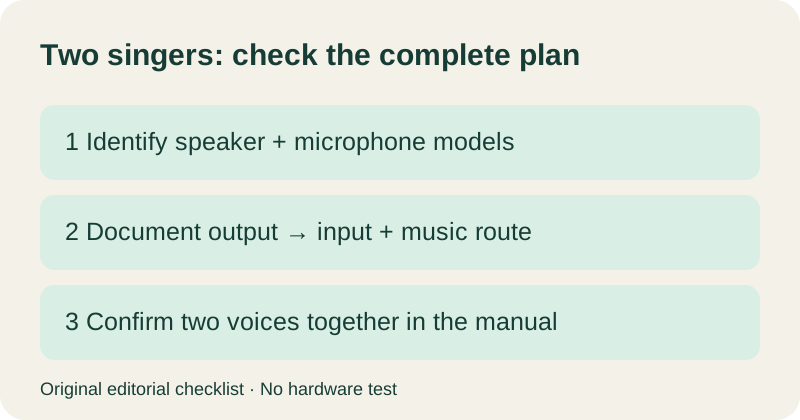
Count the supported arrangement, not just the sockets
JBL's Wireless Microphone Information shows why model details matter. Its table describes the JBL Wireless Microphone Set using a dongle in the mic port for PartyBox 100, 110 and Encore Essential. It lists a different arrangement for Encore, which has no wired microphone port. The original On-The-Go also has restrictions on its bundled microphone. Read the row and footnotes for the exact product; do not transfer one model's instructions to another.
This official example illustrates a question to ask, not permission to connect an arbitrary wireless system. We have not tested these products. For other brands or microphone systems, obtain their own manuals before choosing a cable or adapter.
Fill in this inventory before adding anything to your cart
Start with the equipment you will actually use, including an existing speaker if you already own one. Copy model names from the labels, including generation names. Leave an unknown field visibly unknown instead of completing it from a similar-looking product photo.
| Field | Your record |
|---|---|
| Speaker full model and generation | ________ |
| Microphone system full model | ________ |
| Included receiver or built-in pairing? | ________ |
| Receiver output label, if applicable | ________ |
| Speaker input label for that output | ________ |
| Manual page confirming this connection | ________ |
| Two microphones simultaneous: documented where? | ________ |
| Backing music device and route | ________ |
Keep a separate line for the music route. A phone playing a track is one part of the plan; the microphone arrangement is another. Your record should make both visible. Do not write just “wireless”: specify which device connects to which other device, using the terminology in its manual.
Turn an uncertain shopping list into a precise support question
Send the following original template to the manufacturer when documentation does not resolve your arrangement. Attach the relevant panel photo or manual page rather than a link to a generic category.
I want two singers to use microphones simultaneously. My speaker is [full model]. The microphone system is [full model], with [receiver, if any]. I propose connecting [labelled output] to [labelled input]. Music will come from [device and route]. Does this exact arrangement support both voices and music together? Which manual section describes the connection, any required settings, and any limitations?
Save the reply with your inventory. If it describes a different generation or only one microphone, ask again before ordering. A clear answer should address the whole proposed arrangement. Our buying rule is to keep the unresolved item off the purchase list until its connection is documented.
Plan a short acceptance check after delivery
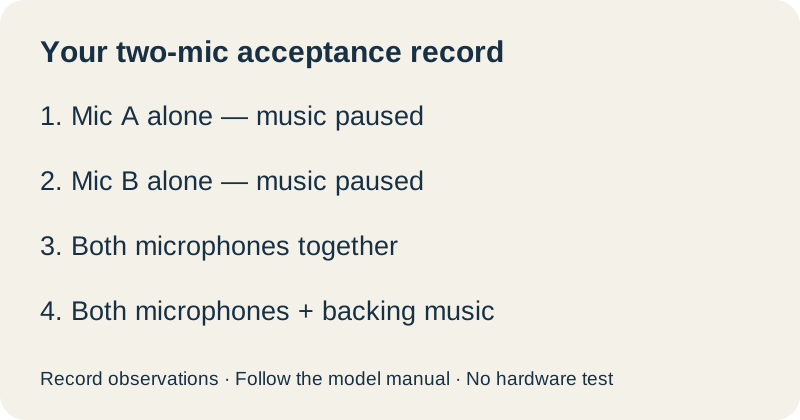
This is our original observation sheet. Follow the manufacturer's setup and volume instructions, then record each result. It is a way to check the intended use, not a measurement of sound quality or a diagnosis of a defect.
| Check | Record |
|---|---|
| Microphone A alone; music paused | Voice heard / not heard / not checked |
| Microphone B alone; music paused | Voice heard / not heard / not checked |
| A and B together; music paused | Both voices heard / other observation |
| A and B with backing music | Both voices and music heard / other observation |
| Each singer at the intended position | Position and observed result |
Keep the same documented connection throughout this check. If something fails, write the first failing row and the settings used. That record is more useful for a support request than changing several connections and reporting only that the setup “does not work.”
Quick answers
Do I always need two microphone input sockets?
No universal socket-count rule follows from microphone count. JBL's official table includes two wireless microphones through a receiver at a mic port for specified models. Check your exact system rather than assuming that example applies to every portable karaoke speaker.
Can I buy a spare bundled microphone for a duet?
Check the model-specific simultaneous-use restrictions first. JBL's original On-The-Go guidance distinguishes a replacement bundled microphone from its separately sold Wireless Microphone Set. A replacement is not automatically a second simultaneous microphone.
What should I do if the manual is unclear?
Use the support template above with both model names and the complete proposed route. Leave the connection unconfirmed until the manufacturer answers that exact question.
Official source checked 9 October 2026. The inventory, support template and acceptance sheet are original editorial tools. No equipment was tested. If your already-connected JBL microphone is silent, use our separate troubleshooting guide.