Practical karaoke · Connection guide
Karaoke Microphone with Speaker: Plan Your Phone Session
This guide is for a handheld microphone that contains its own speaker. It helps you prepare a phone-based singing session before buying, rather than compare wireless receiver systems or rank sound quality.
What one manufacturer actually documents
The official Magnavox MMA3650 Portable Karaoke Microphone and Speaker page lists a built-in speaker, Bluetooth, a 3.5mm Aux connection and a rechargeable battery. It describes connecting to a smartphone for recording using a 3.5mm aux-in cable, and says a third-party app is required for recording. It also lists an audio-out jack for an external audio device.
The accessory list names a USB charging cable and a 3.5mm aux-in to micro-USB connection cable. Those are the manufacturer's listed accessories for this model. The page does not establish that your particular phone, adapter or recording app works with it. We have not tested this product. Do not turn this example into a universal wiring instruction for other handheld microphones.
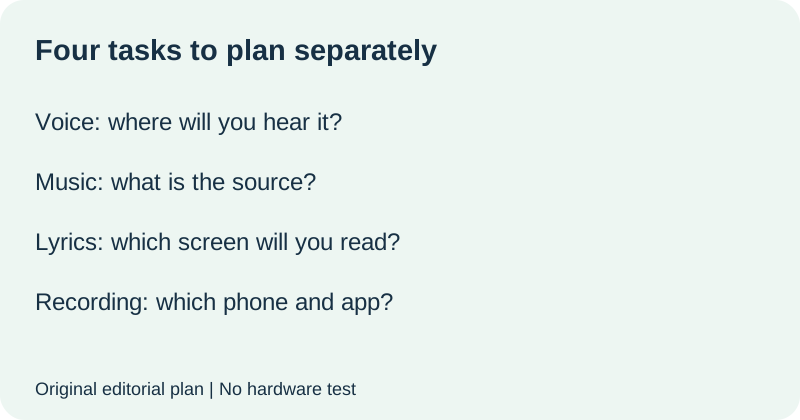
Make a four-task phone plan
Start with what you want to do during the session. Singing along in the room, playing backing music, reading lyrics and saving a recording are separate tasks. Cross out any task you do not need. A shorter list makes the purchase decision clearer and avoids paying for a function you have not planned to use.
| Your task | Write before buying |
|---|---|
| Hear your voice | Built-in speaker confirmed for exact model: ______ |
| Play the backing music | Source device and documented connection: ______ |
| Read lyrics | Screen, app or other source you will use: ______ |
| Save a recording, if wanted | Exact phone, app and documented cable route: ______ |
Put a model name beside the phone, not just iPhone or Android. Describe the phone's available connection and any accessory you expect to use. Ask for confirmation of the complete combination. Do not mark a task ready simply because the microphone's product page uses the same general connection word as your phone.
Inventory the box and the extras on different lines
Copy the exact package list into an included-items column. In a second column, write the items the seller says your intended session needs but the box does not include. In a third, keep unresolved items. A cable shown in a photograph should remain unconfirmed until the contents list or seller identifies it for the exact package.
For charging, record the manufacturer's instructions and which power items are supplied. If the page names only a charging cable, do not silently treat that as confirmation of a wall adapter. If recording matters, keep the app and phone connection on the list even when the handheld unit has its own battery and speaker.
Send a task-specific question to the seller
Use this original template: I want to sing with backing music from [phone model] and [save a recording, or not record]. For [microphone model and package], please identify the connection for music and the separate connection and app requirements for recording. Which cables and charging items are included? Which additional items are required for this exact phone? Please leave unsupported combinations unconfirmed.
Keep the reply with the product listing and manual. If the reply only repeats Bluetooth or rechargeable, ask it to address the unfinished task. You are asking what the proposed setup requires, not asking the seller to promise that every app or phone is compatible.
Use a ready-to-buy gate
Continue when each task you selected has a documented route and each required item has a supplied, already-owned or still-to-buy status. Leave the purchase undecided while a required phone or app combination is unknown. If recording is optional, you can explicitly remove that requirement instead of pretending it has been confirmed.
After purchase, follow the exact manual and rehearse the intended session before relying on it. Record what actually happens separately from what the documentation says. This is an original preparation method, not a report of a hardware test or a guarantee about room volume, battery life or recording quality.
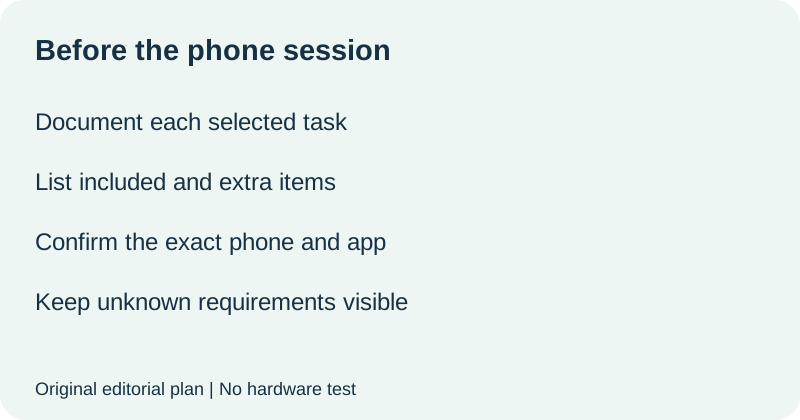
Watch the phone-session plan
Original editorial visuals and synthetic English narration. No hardware test.
Karaoke speakers: plan the separate speaker-and-microphone option
If you mean a separate karaoke speaker rather than a speaker inside the handheld microphone, start with the exact speaker and microphone models. The equipment arrangement determines what must be supplied; do not apply a handheld product's phone or cable instructions to a separate speaker system.
JBL's Wireless Microphone Information provides a model-by-model example: its table lists different microphone arrangements and ports for PartyBox models. The Encore entry identifies pre-paired wireless operation without a wired microphone port, while other entries specify a microphone port and a separately sold wireless set. This is evidence to check the exact model, not a universal connection recipe.
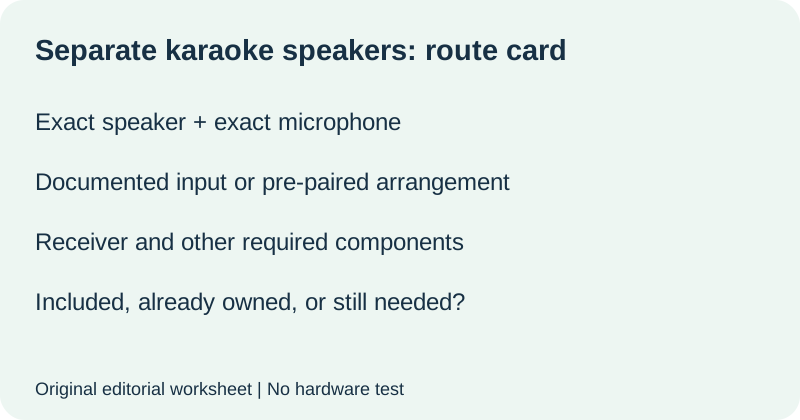
A seller request for separate karaoke speakers
I plan to use [speaker model] with [microphone model or set] and backing music from [source]. Please identify the documented microphone route, whether a receiver is required, and which parts are included in this exact package. Name the input and the supported microphone arrangement rather than confirming only the brand. Please list any requirement that is still unknown.
The separate-speaker purchase gate
Keep four entries together: the exact speaker, the exact microphone, their documented connection and the included-item list. Mark the combination ready only when the selected models are explicitly supported and the missing components are identified. A generic Bluetooth label or a photograph is not a model-specific confirmation. If you need two simultaneous microphones, use the separate two-microphone checklist instead of assuming a spare unit will work alongside a bundled one.
Speaker branch added 23 October 2026 using the linked JBL support page read today. No hardware test or performance ranking. This section addresses a separate-speaker interpretation; the phone-session plan above addresses a handheld unit with its own speaker.
Quick answers
Does a built-in speaker mean no phone is needed?
It confirms a speaker is part of the product, not where your songs or lyrics come from. Check the exact model's functions and plan your source separately.
Does Bluetooth confirm phone recording works?
No. In the MMA3650 example, the manufacturer lists a cable route and a third-party app for recording. Confirm your exact phone and app rather than assuming Bluetooth settles it.
Is a charging cable the same as a complete charging setup?
Do not assume so from the cable listing alone. Check the model's charging instructions and identify which power items are included or must be supplied.
Still choosing between a self-contained handheld and an external receiver system? Use our wireless hardware-role guide first. This page instead plans the phone session after choosing the handheld type.
Official MMA3650 page read 22 October 2026. Task plan, seller template and preparation gate are original editorial material. No hardware tested; model-specific documentation does not establish universal compatibility.